Search books from your Mac menu bar
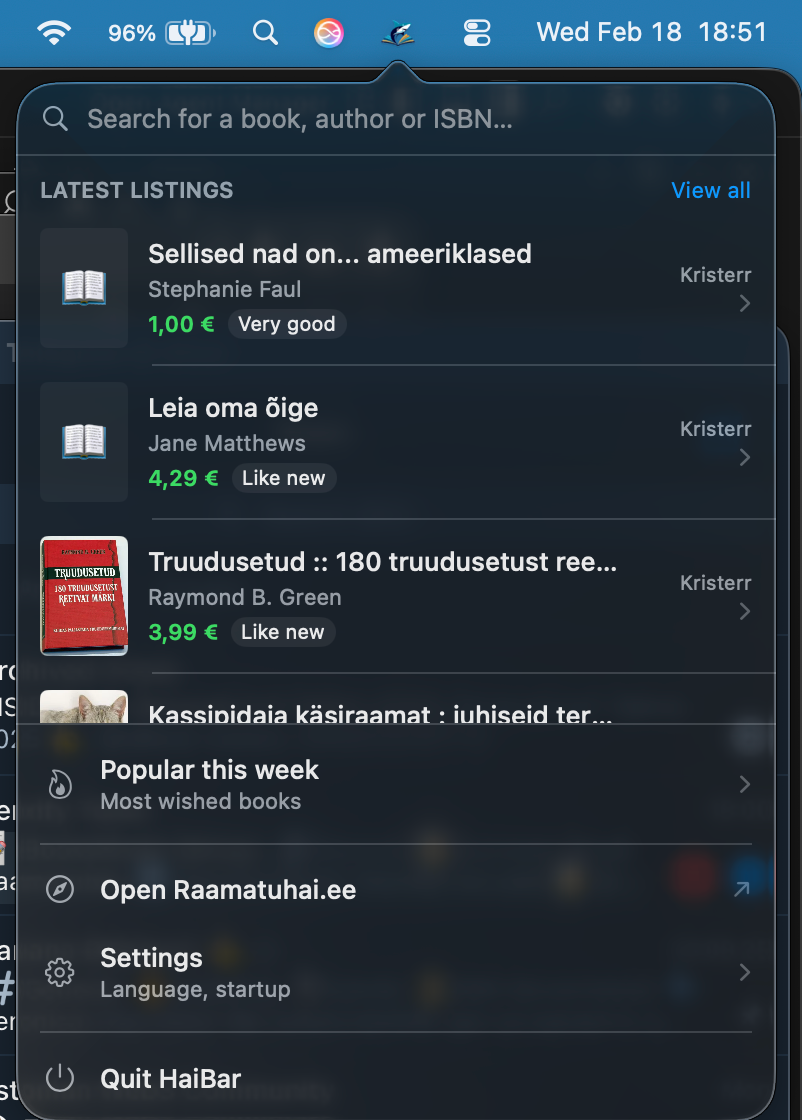
Your companion app for raamatuhai.ee. Click the icon or press ShiftB to search books, browse latest listings, and see popular picks — all without opening a browser.
Free download. No subscription. No account needed.
3 clicks to any book.
From menu bar to book details in seconds. No browser tabs, no distractions.
Open HaiBar
Click the menu bar icon or press Cmd+Shift+B. The popover opens with search focused.
Type your query
Start typing a book title, author, or ISBN. Results stream in live as you type.
Browse details
Click any result to see the cover, metadata, all active listings, prices, and conditions.
View or buy
Click "View on Raamatuhai.ee" to jump to the full listing page in your browser.
Everything you need to find books, fast.
HaiBar adapts to your workflow so you can discover deals without breaking your flow.
Instant search
Search by title, author, or ISBN with live results as you type. 300ms debounce for a smooth experience.
Lightning fast
Results appear instantly from your menu bar. No browser tabs, no waiting around.
Latest listings
Browse the freshest book listings on Raamatuhai.ee directly from your desktop.
Popular this week
See the most wishlisted books this week so you never miss a trending title.
Deep links
Click "View on Raamatuhai.ee" to jump straight to the product page in your browser.
Global hotkey
Press Cmd+Shift+B from anywhere to instantly open HaiBar. No clicking needed.
Smart caching
In-memory search cache with 5-minute TTL keeps repeated searches instant.
Privacy first
No user accounts required. No tracking. Everything stays on your Mac.
Estonian & English
Full localization support. HaiBar speaks your language natively.
Frequently asked questions
Ready to search smarter?
Download HaiBar and start finding your next book from the menu bar. Free forever.
Unsigned build — right-click the app and select Open on first launch.